
8 Ways to Use Your Registry to Save Money on Baby Gear and Essentials
Your Babylist registry isn’t a one-trick pony! Use it to prep, organize, and save during sales events.

By

When you’re prepping for your baby’s arrival, your registry becomes a kind of North Star, helping you stay focused as you navigate the often overwhelming world of baby gear and parenting products. But your Babylist registry isn’t just for organizing essentials—it’s also a smart way to save, especially during major sales events.
From major sales events like Prime Day and Black Friday to can’t-miss seasonal savings like the Nordstrom Anniversary Sale and the Target Car Seat Trade-In Event, your registry can help you track what you need and when to buy it.
As a commerce writer and editor with more than six years of experience, I’ve spent a chunk of my career covering sales events, including curating the deals in our weekly baby sales series. Along the way, I’ve collected a few insider savings tips, tricks and hacks. As a mom of two who considers Prime Day to be in her top five favorite holidays, I know firsthand about the sales shopping experience, like knowing when to jump on a discount for a product that rarely goes on sale and how to figure out if you’re actually saving money. To round out the information in this guide, I also reached out to savings experts for even more tips on how to save the most during a sale.
Use these tips and tricks to save, prep, and plan for the next sale with your Babylist Registry.
1. Use Babylist to compare prices on one page
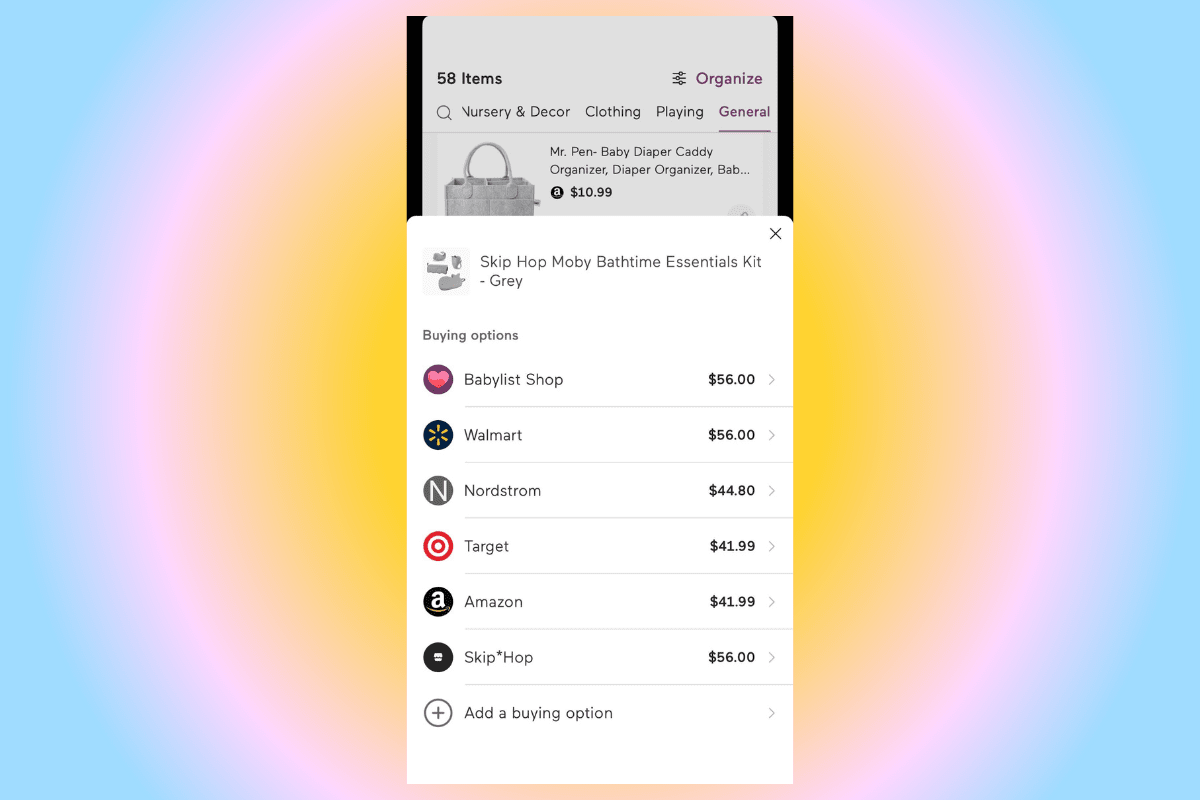
Babylist is a universal registry, which means you can add any product from any retailer. When you add a product to your registry, the prices and links to the other retailers that sell that same product will show up. This allows you to quickly compare prices without leaving your registry or clicking around to a bunch of sites to confirm if a product is actually on sale. This hack is useful any time of the year, but it's especially effective during big sales events like Black Friday, when there’s an influx of deals coming at you from all directions.
Babylist Shop items will show the sale price with the regular price crossed out and the percentage you’re saving, doing all of the savings calculations for you. And for other retailers, you’ll be able to see the new price within your registry. The comparison tool makes it easier to sort through prices across retailers.
2. Bookmark the Babylist Weekly Sales and Deals series
Less of a hack and more of an evergreen savings tip: check out our weekly sales and deals roundup of the best baby and parenting (and generally really good) deals happening around the internet. As Babylist’s resident sales and deals editor, I spend a good chunk of my time searching for the deals worth flagging (the kind that’ll make you want to share in the group chat) and rounding them up in an easy-to-read, shoppable article. While you can buy directly from our weekly sales guide, you can also add products to your registry while they're on sale so your friends and family can grab them at a discount.
And during major sales events like Prime Day, Presidents’ Day, Black Friday and all of the others in between (yes, that includes Nordstrom Anniversary Sale), we have special installments to focus on just those deals.
3. Take advantage of Babylist exclusive discount codes
We regularly partner with lots of brands to offer discount codes for our Babylist users (that’s you!) and feature them in our weekly sales and deals guide. From beloved bamboo PJ brand Little Sleepies to Bombas (aka the makers of possibly the most comfortable socks), you’ll likely find one that will help you save on something you need. We add new codes weekly (another reason to bookmark our sales and deals guide).
4. Hack your registry categories
If you’ve already built your registry, then you may be well aware of how useful Babylist categories are. You can drop your baby essentials into neat, organized groups to make the shopping experience seamless for both you and your support system.
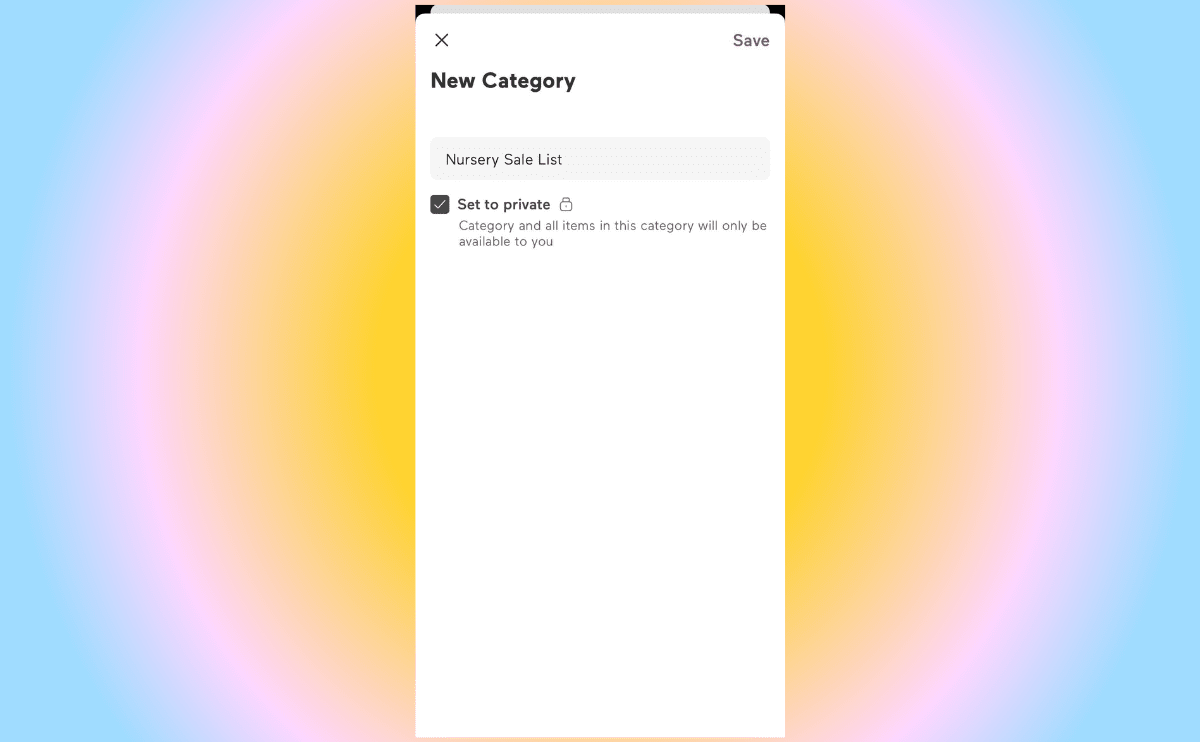
And when you’re ready to prep for a sale event, you can create custom categories to help prioritize what you’ll want to focus on scoring during a sale. For example, if you still need a few essentials for your nursery and Black Friday is coming up, you can create a category titled “Nursery Sale List” and load it with whatever you need—like a glider, crib sheets or changing pad.
When the sale event rolls around, you can hop into that pre-set category and easily click through the things you want for your nursery and see if they’re on sale. Plus, if your friends and family are still buying gifts from your registry, they can use your custom category to shop for your gift at a discount during a sales event. Honestly, it’s a win-win for everyone.
Bonus: For nice-to-have but not necessity items, add them to a sale-only watch list category. This way, you can easily find those items that you want but don’t necessarily need when a sale is going on (or if the price just so happens to drop).
5. Use your 15 percent completion discount
About two months before your expected arrival date, a 15 percent off coupon will be added to your account (so be sure to add your expected arrival date to your profile), and it's valid for 90 days after that date. The completion discount can be applied to almost anything in the Babylist Shop. The discount is multi-use, so you can apply it to multiple purchases until you hit a $600 maximum savings. You can scoop up things you’re missing (especially big-ticket items like a top-rated stroller), products you want to try or items you need for your soon-to-be toddler. Be sure to check out all of the details and exclusions for the 15 percent completion discount before applying it.
6. Keep using your registry, even after the baby is here
Even after your baby shower is over and you’ve welcomed your little one, you’ll likely notice that you still need things for your baby (I bought an Owlet and about five different swaddles before I even left the hospital). You can switch your Babylist registry to private mode and use it as a running list of things you need, want to try, and are considering buying.
When a big sale rolls around, you can use your private registry in two different ways: as your personal shopping hub, checking things off as you snag a deal (either during a single sale or over the year as you take advantage of different sales) or you can refer to your private registry during a sales event to quickly check if the things you still need are on sale at any retailer online. If you want to keep your registry live while still utilizing a private running list, you can build a separate category instead, set it to private, and add all of the things you want to keep an eye on during a sale event.
7. Sign up for price drop alerts and push notifications
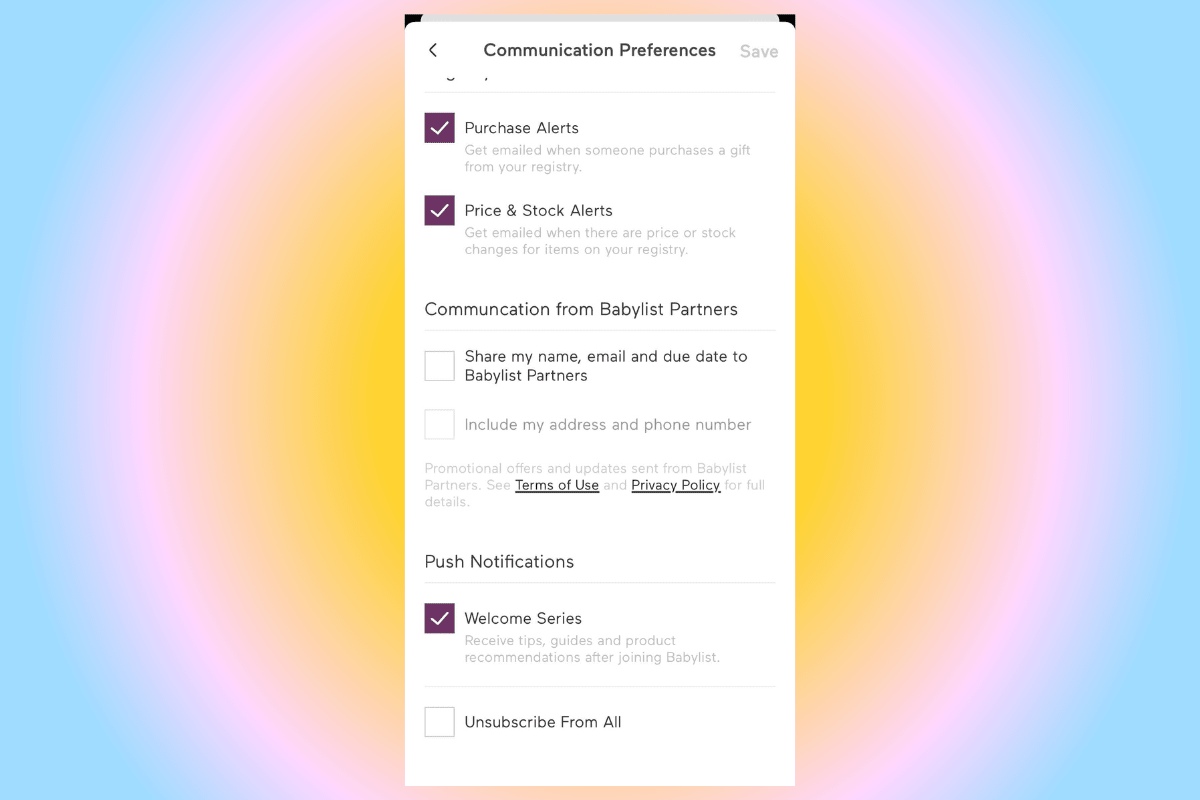
Outside of big sales events, retailers quietly drop prices on products almost daily—but it’d be a full-time job trying to track down these random dips. That’s where your Babylist registry comes to the rescue. When you create your registry, you can go into your settings and click the box “Price and Stock Changes” to be notified when a price drops (or increases) on one of the products you registered for (as long as your registry has been active in the last 60 days).
But when Prime Day or Cyber Monday does come around, you’ll also get an alert in your inbox, letting you know that the thing you’ve been eyeing has had a price cut. On the flipside, you’ll also get an alert when the price has jumped up (so, if it’s feasible, you can put an item on the back burner until it goes on sale).
Another tip—turn on push notifications to get alerts about sales, guides, reminders, and more. Here's how:
iOS: Settings → Notifications → Babylist → turn on “Allow Notifications”
Android: Settings → Apps & notifications → Babylist → Notifications → turn on “Show notifications”
8. Use Price Comparison For Prime Day, Specifically
This hack comes from TikTok creator Parenting Products Guru: Prime Day is a great time to find deals on your registry items but it can be a pain to manually search for each item (especially if you haven’t shared your registry with anyone yet).
To get started, open your Babylist registry and open Guest View. In the top right corner, click on the menu titled stores and select the button for Amazon. This will highlight the items that are available to purchase on Amazon. From there, you’ll be able to view the price of an item on Amazon and other retailers and be able to figure out if it’s actually on sale for Prime Day. While this creator shows this hack being used for Prime Day deals, you can actually use it for any retailer-specific sales event like the Nordstrom Anniversary Sale or Target Deal Days (just change the retailer in the drop-down menu).
Bonus:
Clean up your registry by marking gifts as purchased
Your baby registry should be a live list of everything you need. So if you’ve shared the registry and your friends and family have started to purchase gifts, you want to make sure your registry reflects what you’ve received. This way, when a sale event is happening, you’ll know that your registry is an up-to-date reflection of everything you still need to purchase instead of a mishmash of gifts, self-bought products and items you still need.
Use the “sort by price” option for sales events
If you have pricier brands on your registry or high-ticket items (like a travel system or crib), you can sort any category or your entire registry by price so the more expensive items are at the top (and easier to watch for when sales events happen).
Other Guides That Can Help You Save on Baby Essentials
Being in the know before a major sale comes around is the best way to save. Here are some guides to help you prep:
